KI-Familienfoto-GeneratorAlle auf einem Foto, auch wenn ihr getrennt seid.
Ein Foto pro Person, bis zu 16, und alle sind zusammen auf einem Porträt. Ihr müsst nicht alle am selben Ort sein.
Person 1
Person 2
Person 3
Ein klares Foto pro Gesicht. JPG, PNG, WebP oder iPhone-Fotos.
Gratis-Credits zum Start. Keine Karte nötig.Deine Fotos bleiben privat
Erst Plan und Preis
Passt nicht? Kostenlos neu
Oder sag es mit eigenen Worten
Drei Generationen
+++
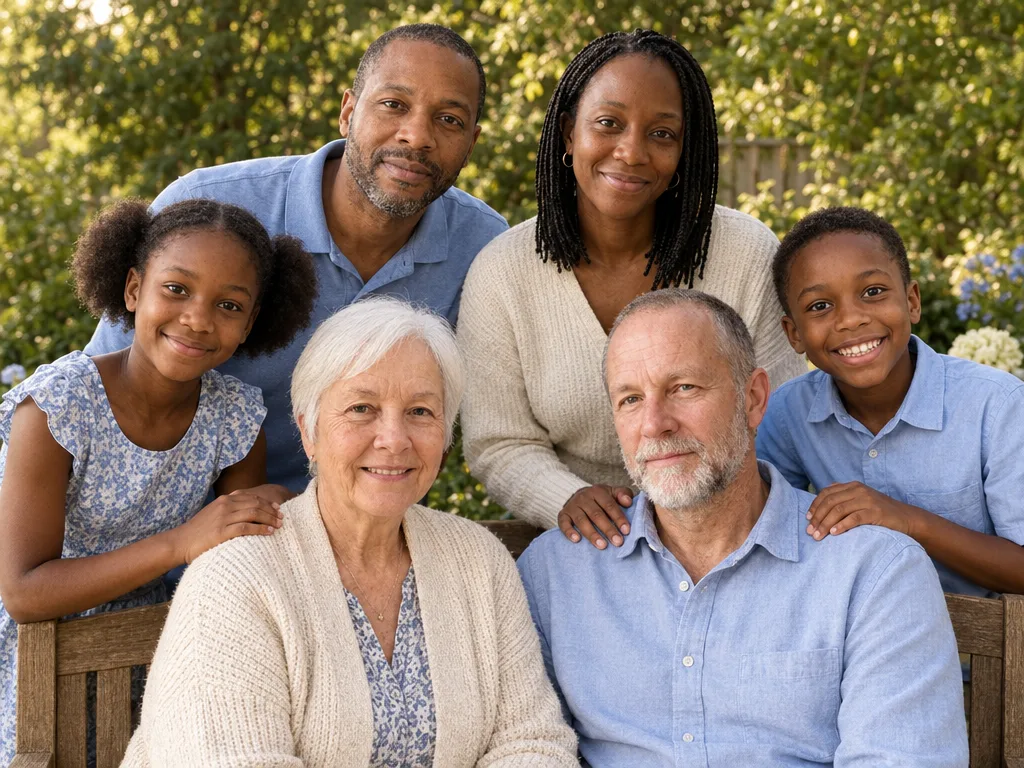
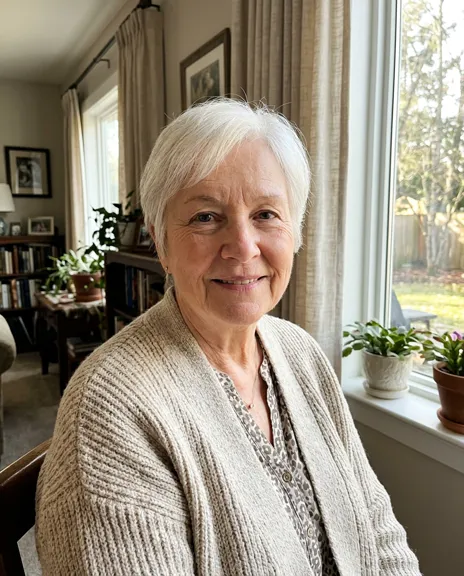
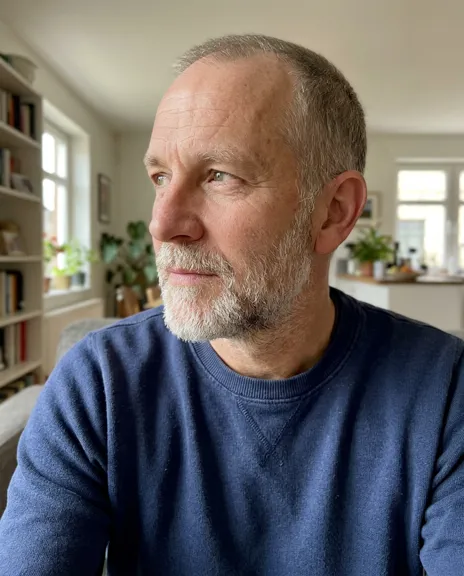
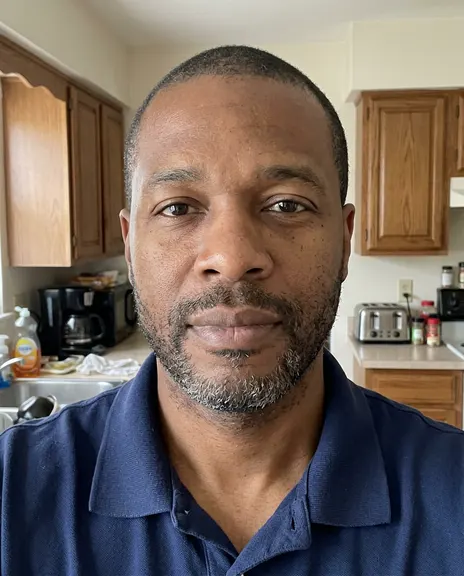
Aus diesen 6 Fotos gemacht
Wähl einen Stil. Oder drei.
Jeder Stil macht ein Foto. Wähl mehrere und du siehst den ganzen Plan und den Preis, bevor etwas entsteht.
Jedes Beispiel wurde mit PicYep gemacht
Schwarz-weiß, ganz nah
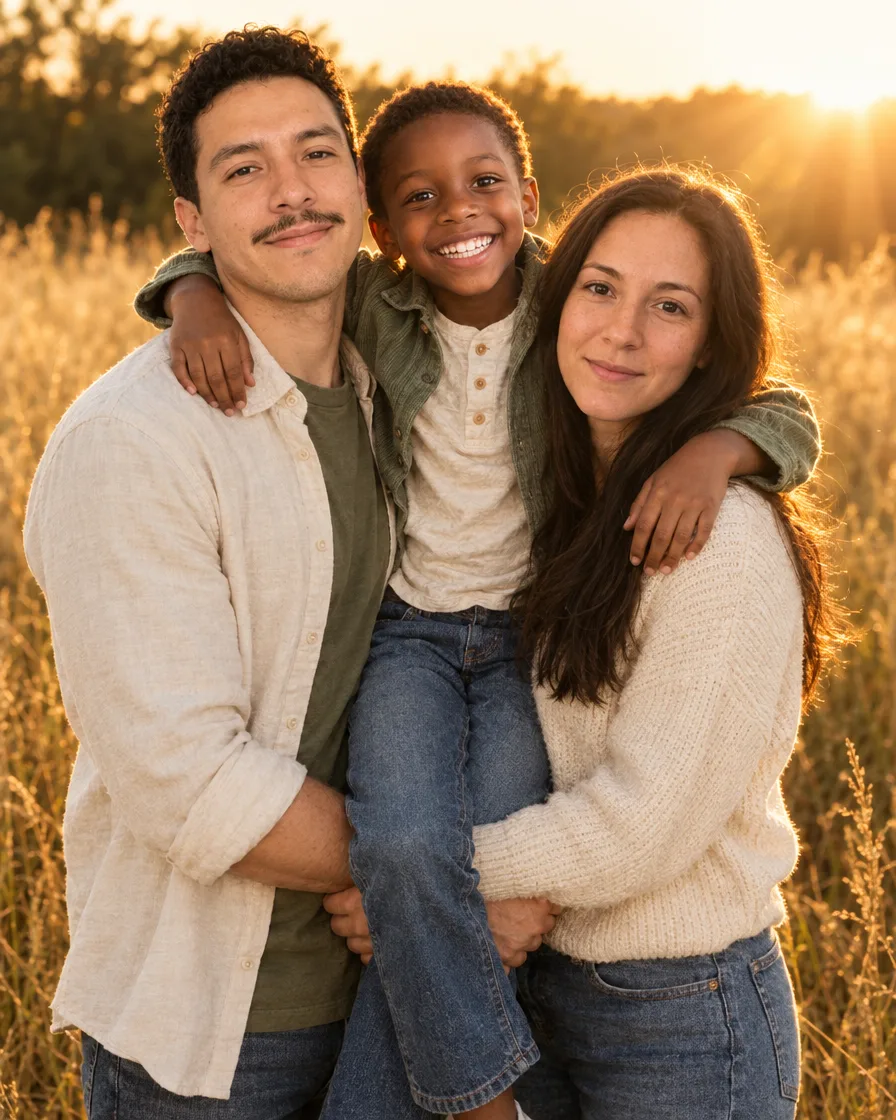
Goldene Stunde im Feld
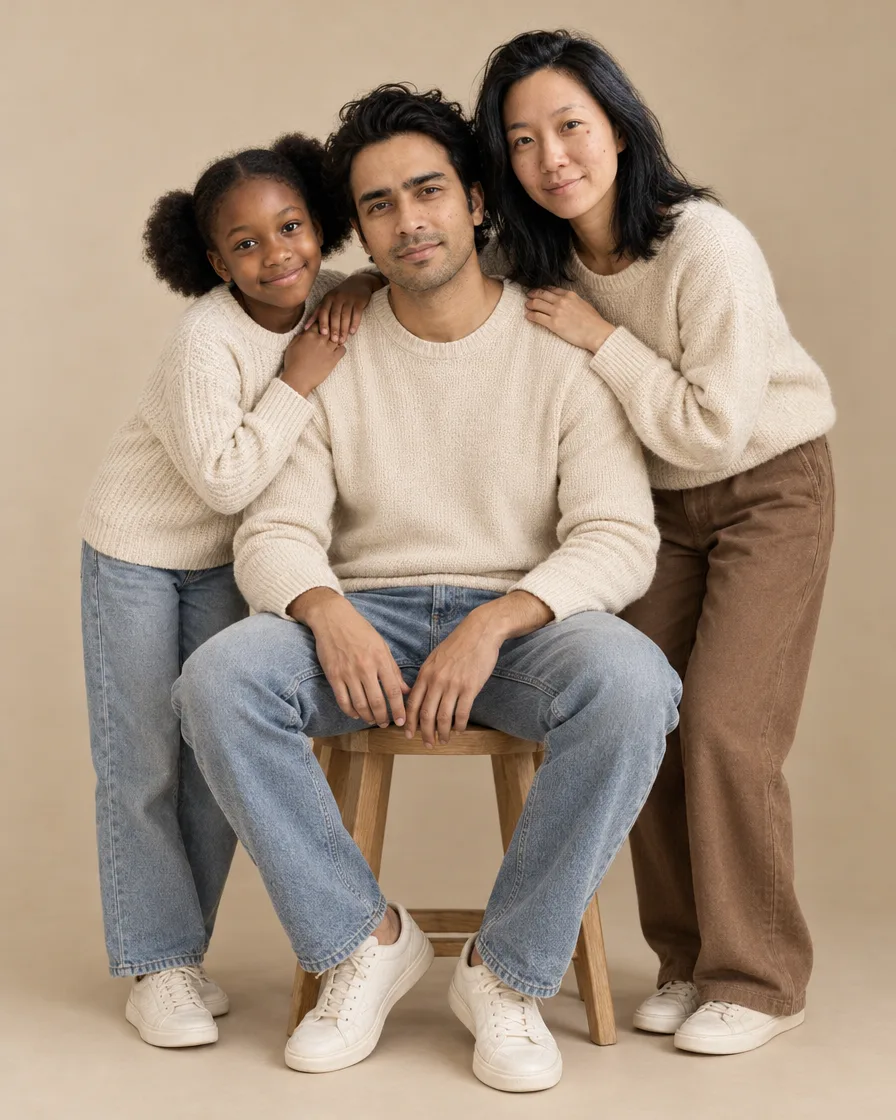
Studio in Naturtönen
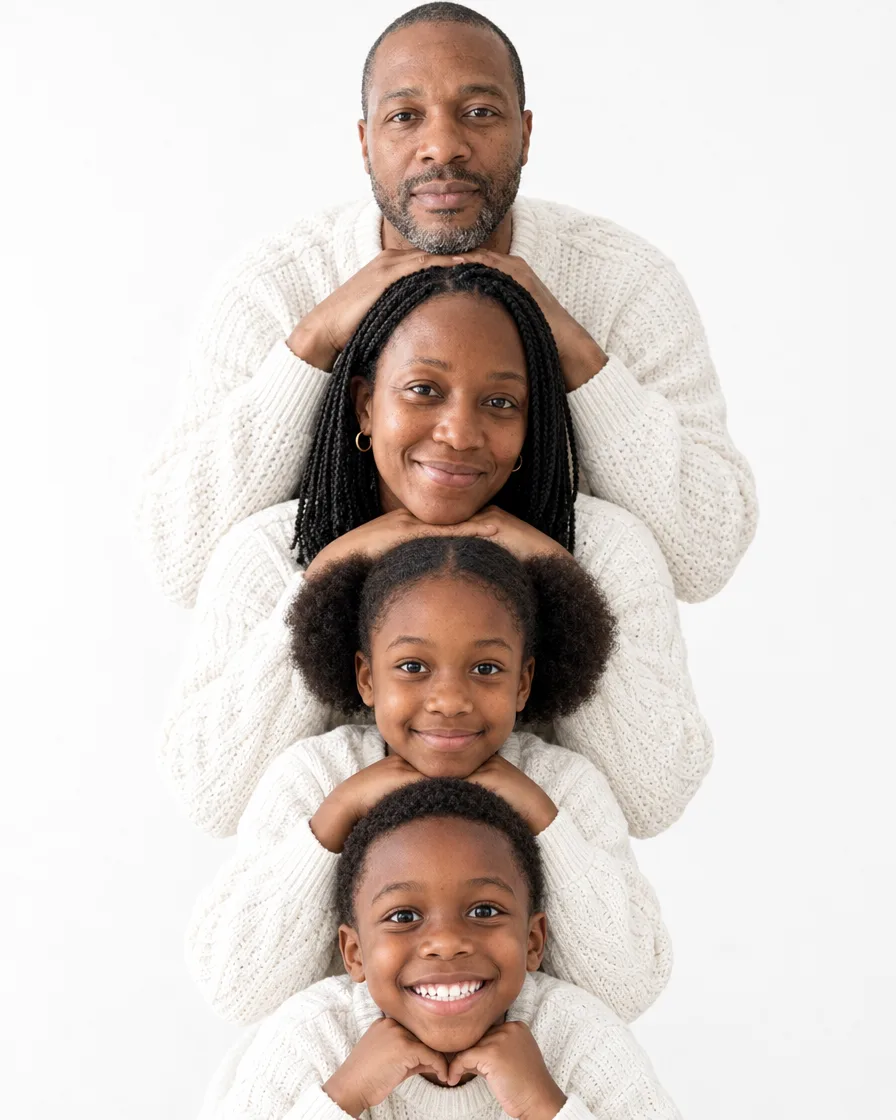
Gestapelte Gesichter in Weiß
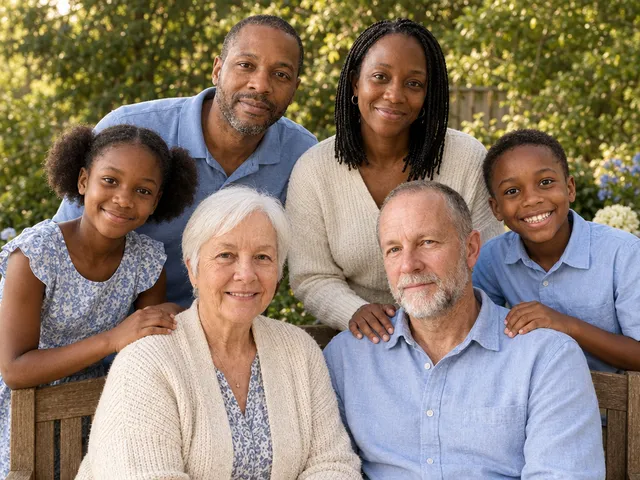
Drei Generationen
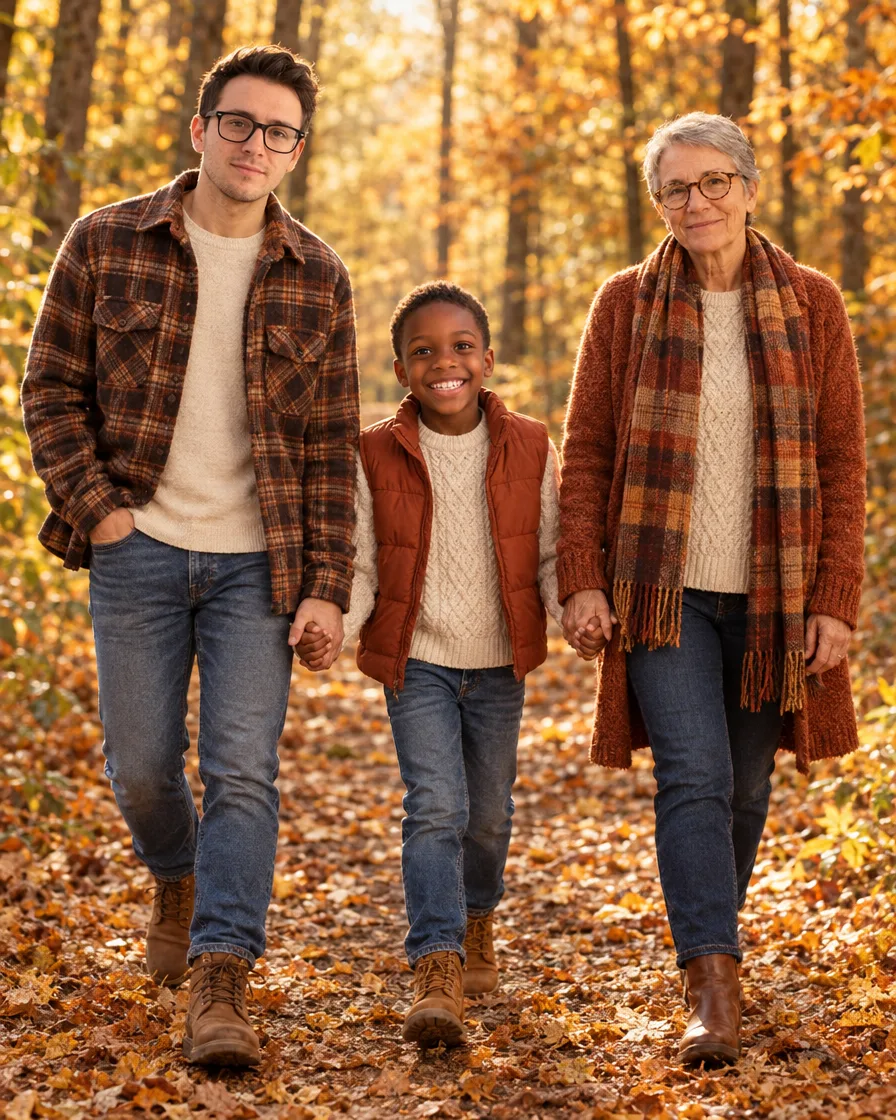
Herbstspaziergang
Strand bei Sonnenuntergang
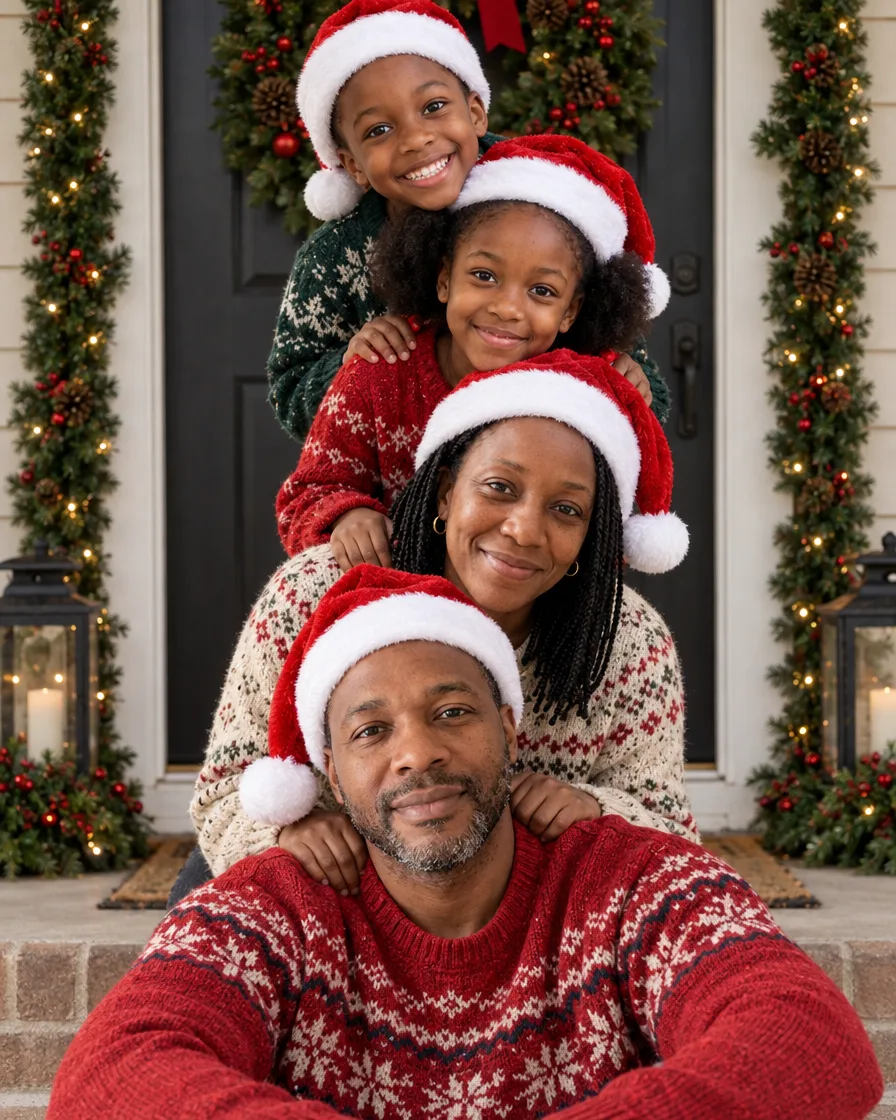
Familie gestapelt an der Haustür
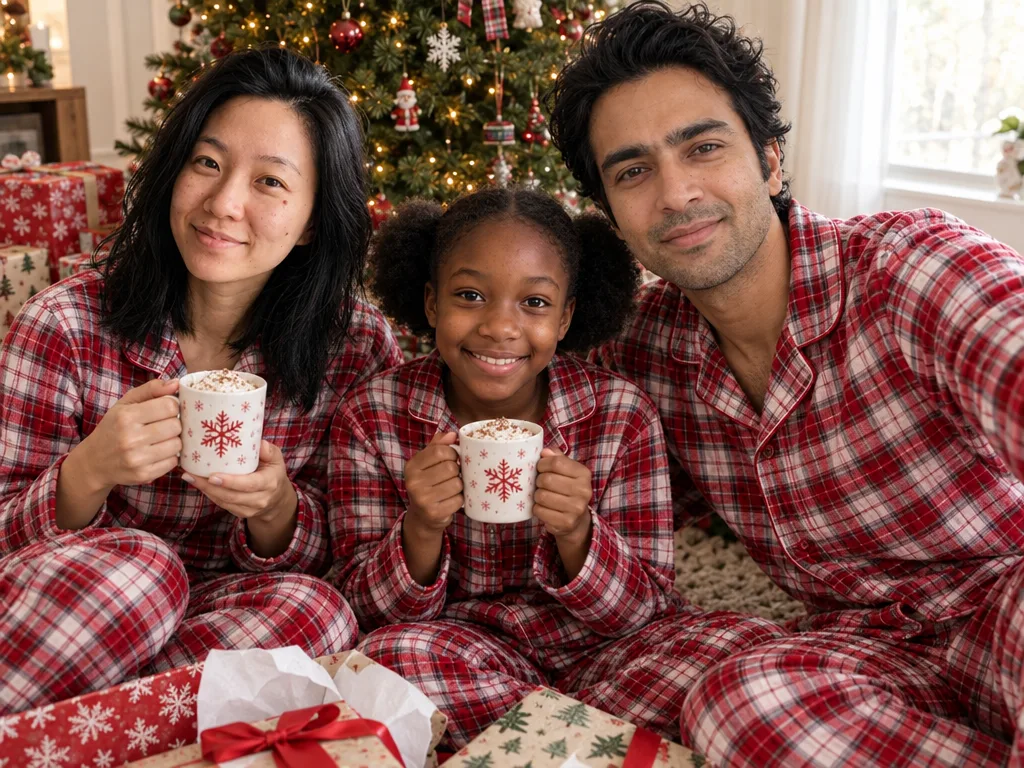
Familie im Weihnachtspyjama
Familie in Smaragdgrün
Kurz gesagt
Der KI-Familienfoto-Generator von PicYep macht aus einzelnen Fotos ein Familienporträt: Füge ein Foto pro Person hinzu, bis zu 16, egal wann und wo es aufgenommen wurde, und wähle einen Stil, ein Schwarz-Weiß-Studio, ein Feld in der goldenen Stunde, drei Generationen im Garten oder eine Weihnachtskarte. Alle sind zusammen auf einem Bild, jede Person aus ihrem eigenen Foto.
Ein neues Konto startet mit kostenlosen Credits, und für die Registrierung brauchst du keine Karte. Was ein Foto kostet, siehst du, bevor du es erstellst, und eine Anfrage, die ohne Foto endet, bekommt ihre Credits zurück. Deine Fotos bleiben privat in deinem Konto, haben kein Wasserzeichen und gehören dir für private und gewerbliche Zwecke.
Alle sehen aus wie sie selbst
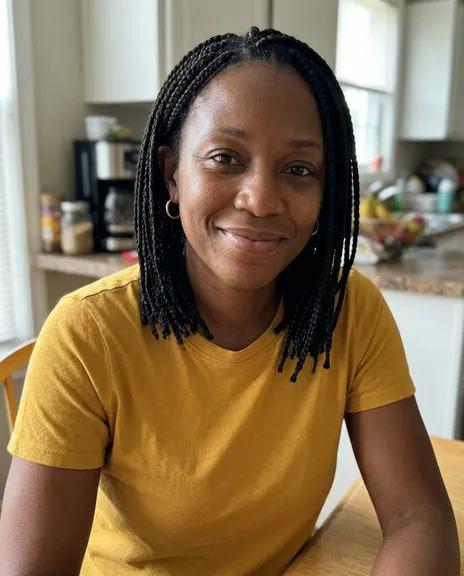
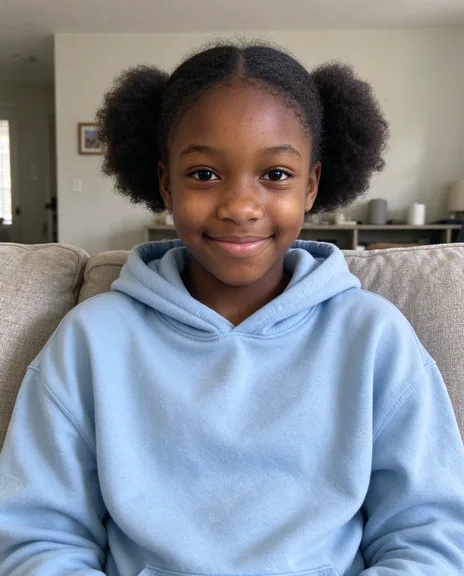
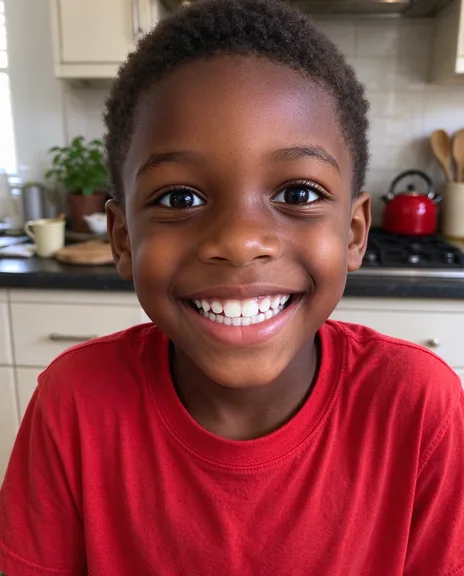
Jedes Familienporträt beginnt mit den Fotos, die du hinzufügst, einem pro Person. Diese hier wurden auf dieser Seite aus den Fotos daneben gemacht und danach nicht retuschiert.
Sechs Fotos, drei Generationen auf einem Porträt
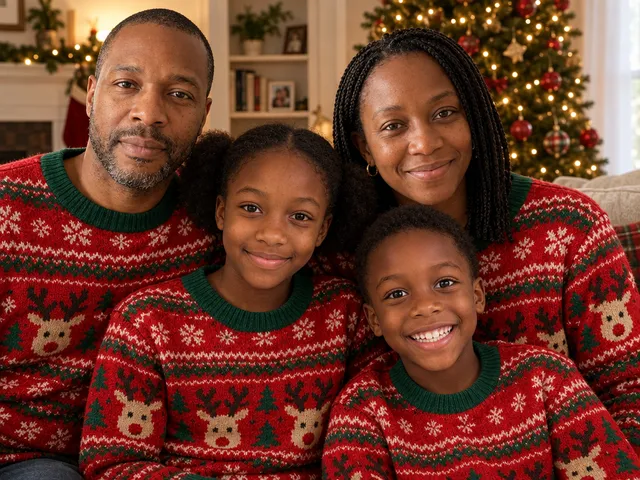
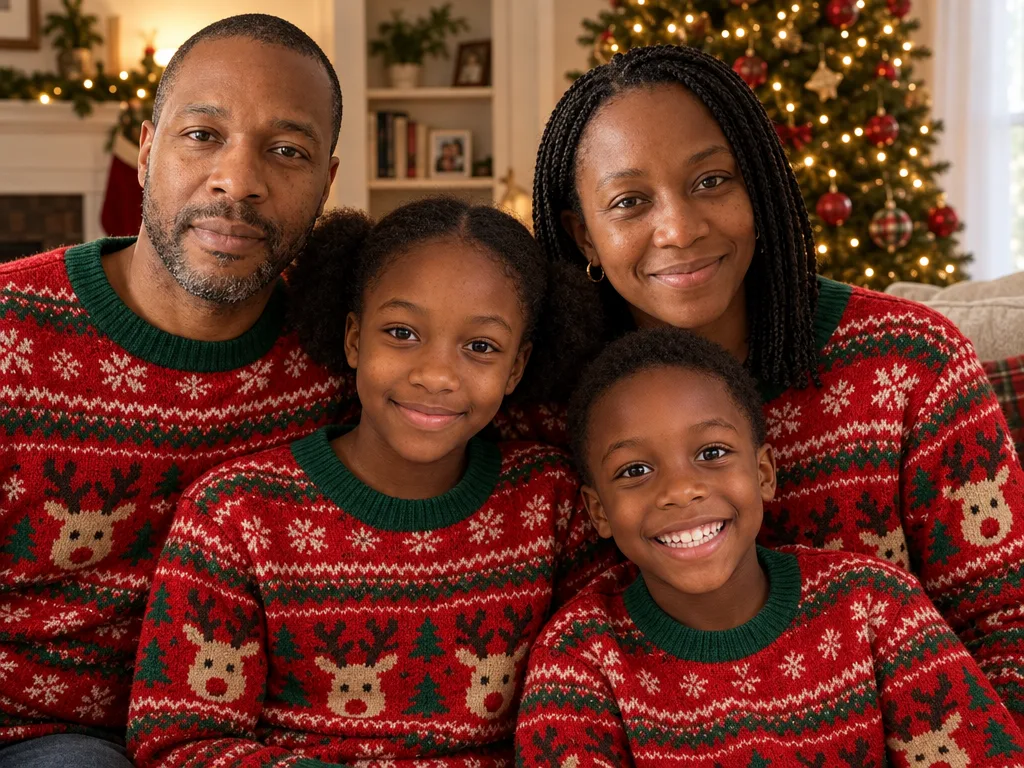
Vier Fotos, eine Familie in gleichen Pullovern
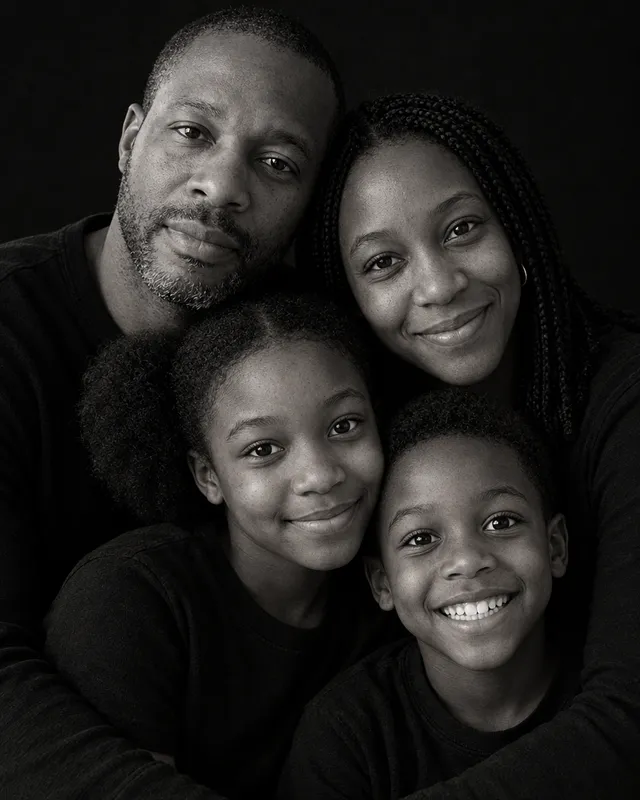
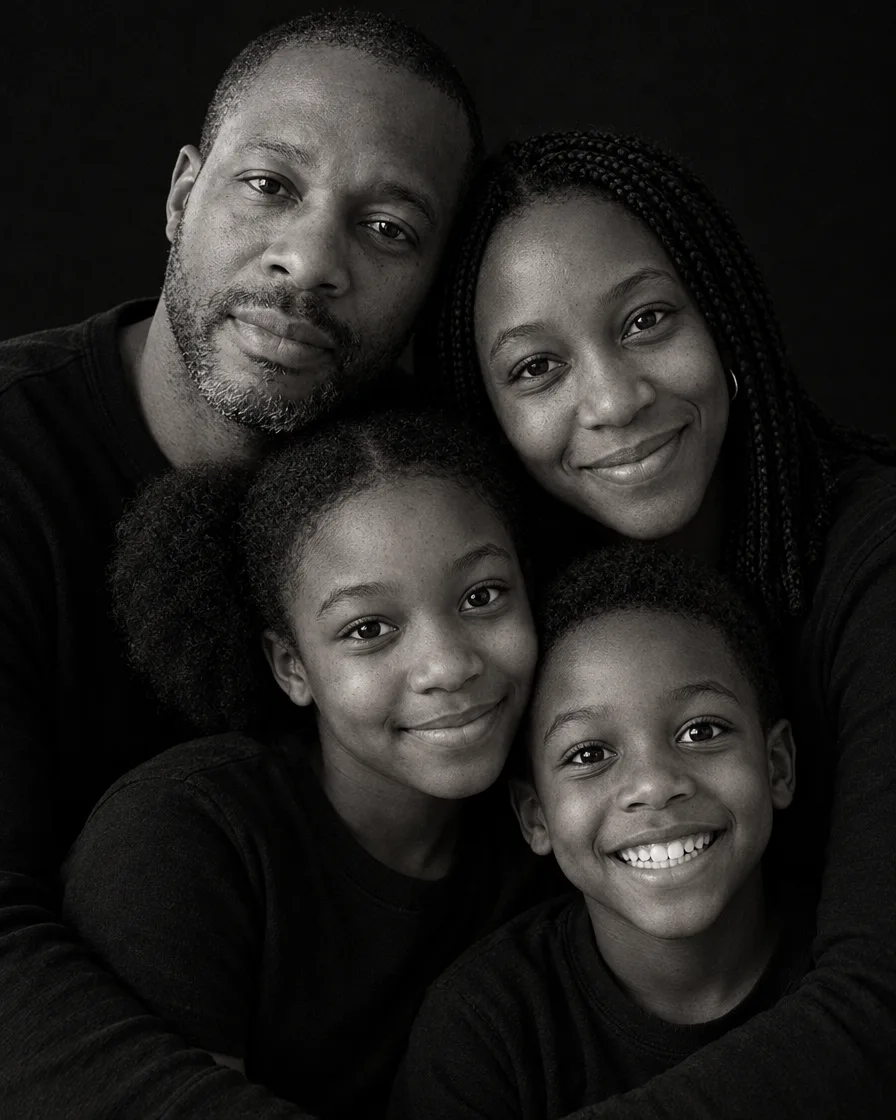
Dieselben vier Fotos im Schwarz-Weiß-Studio
Ein Foto pro Person reicht; niemand muss am selben Ort sein.
Ein Foto für jede Person, bis zu 16. Ab sechs eine nummerierte Liste zum Prüfen vorab, und das fertige Porträt wird mit ihr verglichen.
Fotos von Menschen macht GPT Image 2.5, eines der Modelle, die in unserem Test von acht Gesichter am genauesten erhalten haben.
Nicht getroffen? Markier es und lass es einmal am Tag kostenlos neu machen. Kein Wasserzeichen, deins zur Nutzung.
Beispiele für KI-Familienfotos
Jedes wurde auf dieser Seite aus einzelnen Fotos gemacht, einem pro Person, mit den Worten darunter.
Schwarz-weiß, ganz nah
“A family portrait of exactly the people in the reference photos: one person from each photo, no one added and no one left out. Keep each person's face, features, skin tone, hair, build and age exactly as in their own photo, the same people, not lookalikes. A black and white studio portrait on a plain black backdrop: everyone wears simple black tops, and their heads and faces are close together in one tight, affectionate cluster, the adults behind with their arms around the children in front, cheeks touching, soft directional light from one side, deep shadows, fine film grain, intimate fine-art family photography, photorealistic.”
“A family portrait of exactly the people in the reference photos: one person from each photo, no one added and no one left out. Keep each person's face, features, skin tone, hair, build and age exactly as in their own photo, the same people, not lookalikes. An outdoor family photo in a field of tall golden grass at sunset: backlit golden-hour light and warm sun flare, everyone in soft cream, sage green and denim, hugging close and laughing together, the child lifted up between the adults, candid lifestyle family photography, three-quarter length, photorealistic.”
“A family portrait of exactly the people in the reference photos: one person from each photo, no one added and no one left out. Keep each person's face, features, skin tone, hair, build and age exactly as in their own photo, the same people, not lookalikes. A minimal studio family portrait on a seamless warm beige backdrop: everyone in coordinated neutral clothes, cream knits, soft brown and light denim, relaxed and close, one adult seated on a simple wooden stool and the others leaning in around them, natural candid smiles, soft window-like light, clean modern family photography, full length, photorealistic.”
“A family portrait of exactly the people in the reference photos: one person from each photo, no one added and no one left out. Keep each person's face, features, skin tone, hair, build and age exactly as in their own photo, the same people, not lookalikes. A playful family portrait on a plain white backdrop: everyone in white knit sweaters, stacked in a vertical column of faces, one head above the other, each resting their chin on their hands, the tallest at the top, all smiling at the camera, bright soft studio light, clean and joyful, photorealistic.”
“A family portrait of exactly the people in the reference photos: one person from each photo, no one added and no one left out. Keep each person's face, features, skin tone, hair, build and age exactly as in their own photo, the same people, not lookalikes. An autumn family photo on a forest path covered in orange and golden leaves: everyone walking toward the camera holding hands, in cozy fall layers, cream knit, rust, plaid flannel and denim, warm sunlight through the trees, candid laughter, lifestyle family photography, full length, photorealistic.”
“A family Christmas photo of exactly the people in the reference photos: one person from each photo, no one added and no one left out. Keep each person's face, features, skin tone, hair, build and age exactly as in their own photo, the same people, not lookalikes. A playful family Christmas card photo at a front door decorated with a big wreath and garlands: the family is stacked in a column, the father sitting on the doorstep, the mother kneeling behind him, the children stacked above leaning in, every head one above the last, everyone in Santa hats and cozy knit sweaters, laughing at the camera, soft daylight, realistic skin texture, photorealistic.”
“A family Christmas portrait of exactly the people in the reference photos: one person from each photo, no one added and no one left out. Keep each person's face, features, skin tone, hair, build and age exactly as in their own photo, the same people, not lookalikes. Everyone wears matching red-and-green knit Christmas sweaters with a reindeer pattern and sits close together on a sofa in a cozy living room, a decorated Christmas tree with warm white lights behind them, everyone smiling at the camera, soft warm light, natural candid family photo, realistic skin texture, photorealistic.”
“A family Christmas morning photo of exactly the people in the reference photos: one person from each photo, no one added and no one left out. Keep each person's face, features, skin tone, hair, build and age exactly as in their own photo, the same people, not lookalikes. Everyone wears matching red-and-white plaid flannel Christmas pajamas and sits together on the floor beside a decorated Christmas tree, opening wrapped presents, mugs of cocoa, soft morning light through the window, everyone laughing and looking at the camera, natural candid family photo, realistic skin texture, photorealistic.”
Jedes Beispiel ist auf dieser Website entstanden und wird so gezeigt, wie es herauskam, ohne Retusche. Die Menschen und Tiere auf den Ausgangsfotos sind KI-generiert, nicht echt.
So machst du ein Familienfoto aus einzelnen Fotos
01
Füge ein Foto pro Person hinzu
Ein klares Foto pro Person, bis zu 16, egal wann und wo. Ein Handyfoto wird richtig herum gedreht und sein Standort entfernt, bevor es gesendet wird.
02
Wähle einen Stil
Jeder Stil ist eine getestete Beschreibung, du musst keinen Prompt schreiben. Wähle mehrere und bekomm in jedem ein Porträt, oder sag in eigenen Worten, was du willst.
03
Preis sehen und herunterladen
Was es an Credits kostet, steht vor dem Senden auf dem Button. Lade die Originaldatei herunter oder mach eine Karte daraus.
Ideen für Familienfotos
Die Familienporträts, die am häufigsten gespeichert werden, jedes mit einem Stil zum Starten.
Schwarz-weiß, ganz nah
Alle in Schwarz vor schwarzem Hintergrund, die Gesichter eng zusammen, weiches Licht von der Seite: der Look eines Fine-Art-Studios.
Ein Familienfoto, wenn ihr nicht alle zusammen sein könnt
Familien leben in verschiedenen Städten und Ländern, arbeiten in verschiedenen Schichten, dienen weit weg von zu Hause. Füge ein Foto pro Person hinzu, egal wann und wo, und alle sind zusammen auf einem Porträt, jede Person aus ihrem eigenen Foto. Fotos mit ähnlichem Licht und gut sichtbarem Gesicht geben das gleichmäßigste Ergebnis.
Für Freunde, Teams und andere Gruppen funktioniert der Gruppenfoto-Generator genauso.
Für die Feiertage wähle einen Weihnachtsstil für die Familie: mit Weihnachtsmützen an der Haustür gestapelt, gleiche Pyjamas am Baum, smaragdgrüne Abendgarderobe. Dann mach daraus eine Weihnachtskarte mit deinem Gruß.
Auf der Seite für Weihnachtsfotos findest du alle Weihnachtsstile und den Kartenmacher.
Jedes Foto sollte eine Person klar zeigen, von vorn, ohne etwas vor dem Gesicht.
02
Ein aktuelles Foto von jedem
Ein aktuelles Foto behält das Alter, das jeder jetzt hat. Für ein Kind nimm ein Foto aus diesem Jahr.
03
Platz für eine große Familie
Ab fünf Personen geben die breiten Stile allen Platz.
04
Mach ein paar Versuche
Jeder Versuch ist anders. Wähle zwei oder drei Stile und behalte das beste Bild.
Fragen zu KI-Familienfotos
Ist der KI-Familienfoto-Generator kostenlos?
Du kannst ihn kostenlos testen. Ein neues Konto startet mit Gratis-Credits. Für die Anmeldung brauchst du keine Karte. Er läuft im Browser auf Handy oder Computer, ohne App.
Kann ich ein Familienporträt aus einzelnen Fotos machen?
Ja. Füge ein Foto pro Person hinzu, egal wann und wo es aufgenommen wurde, und wähle einen Stil. Alle sind zusammen auf einem Porträt, jede Person aus ihrem eigenen Foto, und niemand braucht ein Foto der ganzen Familie.
Wie viele Personen passen auf ein Familienfoto?
Bis zu 16 Fotos, eines von jeder Person. Ab fünf gibt ein breiter Stil allen Platz; ab sechs wird das Porträt mit deiner Liste verglichen, wer darauf ist.
Sehen alle aus wie sie selbst?
Wie jede Person aussieht, richtet sich nach ihrem eigenen Foto: Gesicht, Haare, Brille, Statur und Alter. PicYep macht Fotos von Menschen mit GPT Image 2.5, einem der Modelle, die in unserem Test von acht Gesichter am genauesten erhalten haben. Ein scharfes Foto von vorn trifft es am besten, und passt eins nicht, kannst du es markieren und einmal am Tag kostenlos neu machen lassen. In unserer Prüfung mit acht Menschen unterschiedlichen Alters und Hauttons und mit Familien aus vier und sechs Personen passte jedes Gesicht zu seinem Foto, und jeder Hautton blieb, wie er war.
Kann ich jemanden, der verstorben ist, auf ein Familienfoto holen?
Ja. Füge ein Foto von jeder Person hinzu, die auf dem Bild sein soll, auch ein älteres Foto des Menschen, den du vermisst, und beschreib die Szene: alle im Garten, am Tisch, auf dem Sofa. Wie jede Person aussieht, richtet sich nach ihrem Foto. Ein klares Foto von vorn ist am besten; ein alter Abzug, bei Tageslicht abfotografiert, geht auch.
Können wir alle passende Outfits tragen?
Ja. Jeder Stil zieht alle passend an, in Schwarz, Naturtönen, weißen Pullovern oder Herbstsachen, egal was jeder auf seinem eigenen Foto trägt. Willst du die Farben selbst wählen, sag sie in eigenen Worten.
Kann ich ein Familienfoto verwenden, das ich schon habe?
Ja. Füge es allein hinzu und beschreib, was sich ändern soll, der Ort, die Kleidung oder das Licht, und die Personen darauf bleiben, wie sie sind.
Was passiert mit unseren Fotos?
PicYep trainiert keine KI-Modelle mit deinen Fotos und verkauft sie nicht. Fotos in voller Größe und die Fotos, die du hochlädst, liegen in privatem Speicher ohne öffentliche Adresse, und du kannst sie jederzeit löschen.
Deine Fotos werden nicht zum Training von KI-Modellen verwendet. Originale liegen in privatem Speicher, und du kannst sie jederzeit löschen. Datenschutzerklärung