PicYepAI GIF generator
Photo or words to GIF
AI GIF Generator
Start from your own photo or a short description. PicYep makes a looping GIF that keeps the face, the fur and the place as they are.
Make a GIF9 frames for 25 credits. Ready in about 20 seconds.
GIFs made on PicYep
Each one started from a single photo.
- Pet GIF
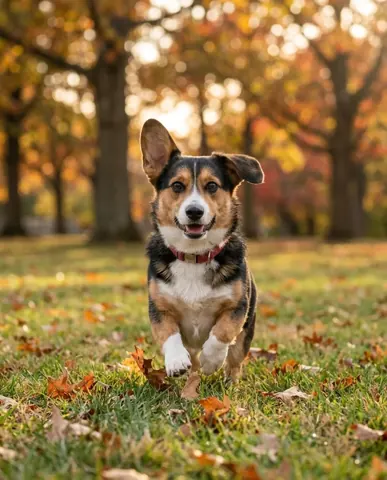
Photo 
GIF The dog runs toward the camera, ears bouncing.
- Animated profile picture
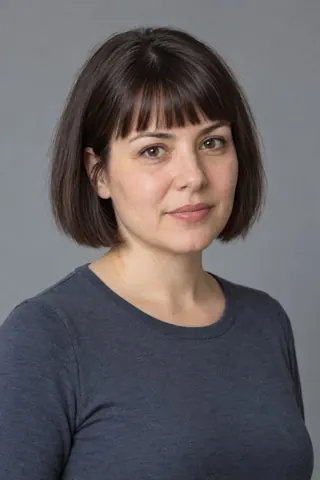
Photo 
GIF A smile, a wave and a wink, on a loop.
- Personalized birthday GIF
Photo 
GIF A party hat, a cake, flickering candles and falling confetti.
What to make
Small, looping motions work best.
- Pet GIFsA head tilt, a blink or a wagging tail from a photo of your pet.
- Animated profile picturesA wave, a wink or a nod, for chats and social profiles.
- Birthday and holiday GIFsPut the person you are celebrating in a GIF to send them.
- GIFs from wordsNo photo needed: describe the scene and the motion.
Choose how long it moves
Every GIF loops. Each frame shows for 0.2 seconds.
Square, portrait or landscape, 512 pixels on the short side. A GIF that is not made gives its credits back.
How it works
- 01Add a photo or describe it
Use a photo of your pet, yourself or a friend, or start from words.
- 02Say what moves
One small motion that returns to the start loops best: a wave, a blink, a tail wag.
- 03Download the GIF
It loops on its own and plays anywhere GIFs do.
Questions about the GIF generator
Can I make a GIF from my own photo?
Yes. Add the photo and say what should move. The person or pet, their clothes and the background stay as they are in your photo.
How long is each GIF?
Choose 4, 9 or 16 frames. Each frame shows for 0.2 seconds, so a loop lasts 0.8, 1.8 or 3.2 seconds, and it repeats without end.
How much does a GIF cost?
4 frames cost 15 credits, 9 frames 25 credits and 16 frames 35 credits. The price is the same from a photo or from words, and a GIF that is not made gives its credits back.
What size are the GIFs?
Square, portrait or landscape, with 512 pixels on the short side, a good size for chats, profiles and posts.
Can I make a GIF from text only?
Yes. Describe who or what is in it, where they are and the one motion you want, and PicYep makes the GIF from your words.
Do the GIFs have a watermark?
No. The GIFs you make are yours to use for personal and commercial work.
What if I want a longer, smoother motion?
Make a short video from the same photo with the photo to video maker. It gives you seconds of smooth motion instead of a few frames.